


Download YouTube Music to MP3 — 10X Faster, 100% Lossless
Convert and download songs, albums, and playlists from YouTube Music to MP3, AAC, WAV, FLAC, AIFF, or ALAC at 10X speed, while keeping original audio quality, ID3 tags, and lyrics.
 Free Download
 Free Download
Keep Your YouTube Music Downloads Forever

Download Everything

10X Faster Conversion

Lossless Audio Quality

Keep ID3 Tags & Lyrics

Download YouTube Music Offline to Your PC/Mac Drive
Save YouTube Music permanently to your local PC or Mac computer with no limits. Download songs, albums, and playlists for offline listening, long-term backup, easy device transfer, and uninterrupted playback anytime, even after subscriptions end or without an internet connection.
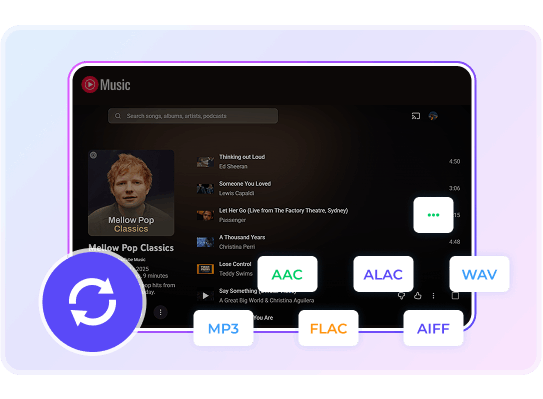
Convert YouTube Music to MP3 for Playback on Any Device
Easily convert any YouTube Music track, album, or playlist to popular formats including MP3, AAC, WAV, FLAC, AIFF, and ALAC. Download and save your music directly for flexible offline playback on all your favorite devices and media players.
** If you need to convert YouTube video to audio, please refer to YouTube Video Downloader.

10X Batch Conversion with Original Quality, Full ID3 Tags & Lyrics
Convert your YouTube Music songs, albums, and playlists at remarkable 10x speed. The advanced technology preserves original audio quality, complete ID3 tags, and album art, while saving lyrics as separate .txt files, giving you full control over your music library organization.

Lifetime Free Updates & 7/24 Technical Support
Enjoy a worry-free experience with lifetime free updates and always-available friendly support. We'll keep your software reliably fresh and be here to promptly help you anytime, ensuring you get the absolute most out of your purchase, whenever you need us.
Get Started: Download Your Music in 4 Simple Steps
Open KeepMusic YouTube Music Converter, choose output format, import YouTube Music and export them to the local computer.

Login YouTube Music
Open KeepMusic and log into your YouTube Music account.

Configure Settings
Select your preferred output format (e.g., MP3) in the Settings panel.

Select Music
Browse a playlist, then click the 'Add' icon to select songs for conversion.

Start Conversion
Click 'Convert Now' to export your YouTube Music files.
Rated 4.9/5 by 100,000+ Music Lovers
Join thousands of satisfied users who have used KeepMusic to download YouTube Music effortlessly.

Alex Chen
KeepMusic is the solution I've been searching for! As someone who travels frequently, being able to download YouTube Music to MP3 has been life-changing. Now I have my entire playlist offline, and the audio quality is perfect. Highly recommend!

Sophia Williams
This converter saved me so much money! I was paying for YouTube Premium just to listen offline, but KeepMusic lets me download songs from YouTube Music for a one-time fee. The best part? I can download my entire YouTube Music playlists in one go!

Marcus Johnson
Spotty internet on the road used to ruin my music. With KeepMusic, I've built an offline library of thousands of songs. The best part? All the ID3 tags are preserved perfectly - artist, album, even the lyrics files. Makes organizing so easy!

DJ Kaito
As a DJ, I need high-quality audio files for my sets. KeepMusic delivers exactly that - FLAC conversion with zero quality loss. The 10x speed is no exaggeration. What takes other converters hours, this does in minutes. Professional-grade tool!

Olivia Parker
Building my digital archive requires a tool that can download YouTube Music permanently. With KeepMusic, I can download YouTube Music in high quality and organize my collection. The ability to download from YouTube Music with full ID3 tags makes cataloging effortless.
Frequently Asked Questions
Find answers about how to download YouTube Music and enjoy offline playback on any device with KeepMusic.