


 Home > Articles > Convert Spotify to MP3
8 Best Ways to Convert Spotify to MP3 in 2026

Although Spotify does not support exporting audio in MP3 format, converting Spotify tracks to MP3 on Windows, Mac, Android, or iPhone is no longer difficult in 2026. In this comprehensive guide, we'll introduce 8 proven methods to help you download and convert Spotify music to MP3 for permanent offline use. This allows you to enjoy Spotify music anywhere and anytime, whether you want to transfer tracks to an MP3 player or a USB drive, or mix them in DJ software.
Quick Comparison: Which Spotify to MP3 Method is Best for You?
Before diving into the detailed reviews of each tool, check this quick comparison table to find the Spotify to MP3 converter that best matches your needs in 2026.
| Tool Name | Type | Conversion Speed | Supported Platforms | Output Format | Output Quality | Playlist Batch | ID3 Tags | Ads | Safety |
|---|---|---|---|---|---|---|---|---|---|
| KeepMusic Music Converter | Desktop | 10X | 17+ platforms (Spotify, YouTube, Apple Music, Amazon, etc.) | MP3, AAC, WAV, FLAC, AIFF, ALAC | 320kbps & Lossless | ✅ | ✅ | 100% No Ads | ⭐⭐⭐⭐⭐ |
| Sidify Music Converter | Desktop | 10X | Spotify | MP3, AAC, WAV, FLAC, AIFF, ALAC | 320kbps & Lossless | ✅ | ✅ | 100% No Ads | ⭐⭐⭐⭐⭐ |
| Notecable Spotify Music Converter | Desktop | 10X | Spotify | MP3, AAC, WAV, FLAC, AIFF, ALAC | 320kbps & Lossless | ✅ | ✅ | 100% No Ads | ⭐⭐⭐⭐⭐ |
| SpotiDownloader | Online | Fast | Spotify | MP3 | 256 kbps | ✅ | ✅ | Contains redirct ads | ⭐⭐⭐ |
| SpotDown | Online | 5× | Spotify | MP3 | 256 kbps | up to 5 | Includes website watermark | Contains redirct ads | ⭐⭐⭐ |
| SpotMate | Online | fast | Spotify | MP3 | 256 kbps | Premium only | ✅ | No ads | ⭐⭐⭐ |
| Spotisaver | Online | 2× | Spotify | MP3 | 320kbps | up to 100 | Includes website watermark | No ads | ⭐⭐⭐ |
| Audacity | Open-Source | 1X | Any platforms | MP3 / WAV / OGG | Depends on Soundcard | ❌ | ❌ | No Ads | ⭐⭐⭐⭐⭐ |
Key Takeaways:
- Best overall: KeepMusic is the best choice for batch downloading Spotify playlists and albums in loseless quality with stable performance and fast speed.
- For Casual Downloads: SpotiDownloader is ideal for fast, single-track downloads directly from a browser.
- Free & open-source option: A free open-source option with real-time recording at 1:1 speed.
Professional Desktop Spotify Converters (Best for Batch & Playlist Downloads)
1. KeepMusic Music Converter
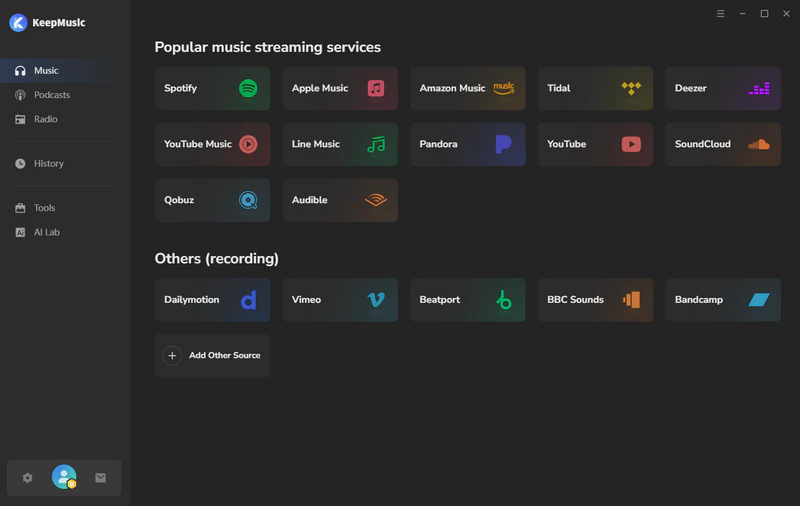
KeepMusic Music Converter is a comprehensive music converter designed to download and convert music from 17+ platforms, including Spotify, Apple Music, YouTube, and YouTube Music, to MP3 and other popular formats. KeepMusic supports fast batch downloads of Spotify playlists and albums while preserving original audio quality and full ID3 tags. Whether you are a Spotify Free or Spotify Premium user, you can download ad-free Spotify music and build a completely clean local music library for offline listening.
Website: https://www.keepmusic.io/music-one/
Main Features:
- ✔ Supported Platforms: Spotify, Apple Music, Amazon Prime Music, Amazon Music Unlimited, Tidal, Deezer, YouTube Music, Pandora, Line Music, Audible AA/AAX audiobooks, YouTube, SoundCloud, Qobuz, Dailymotion, Vimeo, and more.
- ✔ Supported music, album, playlist, audiobook, radio, podcast, music video
- ✔ Supported MP3, AAC, WAV, FLAC, AIFF, ALAC
- ✔ Preserve original sound quality and retain intact ID3 tags.
- ✔ Support 1-10X faster conversion speed.
- ✔ Rip music from Spotify and burn music to CD.
How to Convert Spotify to MP3 on Windows/Mac with KeepMusic?
Step 1Download, install, and open KeepMusic on your computer.
Step 2Select Spotify Platform and log in to your Spotify account.
Step 3Press the Settings icon to select MP3 format and specify the output folder.
Step 4Click the "+" button to add a Spotify playlist to KeepMusic for conversion.
Step 5Click the Convert button to start exporting the playlist to the local computer.
Once the conversion is done, enter into "History" page to view the downloaded MP3 files.
Real Experience:
It took me approximately 4.5 minutes to download a playlist of 50 songs using Keepmusic, perfectly meeting the officially claimed 10x speed standard. The converted tracks fully retain ID3 tags and deliver excellent audio quality.
Pros🙂:
- ✅ Supports batch downloading Spotify playlists at high speed.
- ✅ Supports multiple output formats.
- ✅ Supports Spotify Free and Premium users.
- ✅ Retain complete ID3 tags and original audio quality.
Cons😡:
- ⚠️The free trial version limits conversions to the first minute of each song.
2. Sidify Music Converter
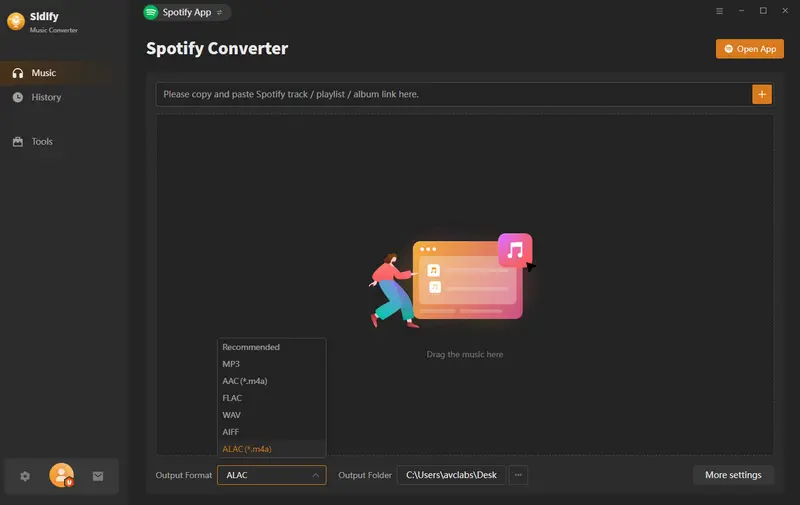
Sidify Music Converter is a long-standing Spotify to MP3 downloader that allows you to download and convert Spotify songs, albums, playlists, podcasts, and audiobooks, and more into MP3, AAC, WAV, FLAC, AIFF, and ALAC. Currently, Sidify supports Windows, Mac, and even Android devices, making it easy to save Spotify music locally for offline playback on any device while preserving audio quality and ID3 tags.
Website: https://www.keepmusic.io/spotify-music-converter.html
Main Features:
- ✔ Supports music, album, playlist, audiobook, radio, podcast
- ✔ Supports MP3, AAC, WAV, FLAC, AIFF, ALAC.
- ✔ Keep Lossless audio quality (24-bit/44.1 kHz FLAC).
- ✔ Support 10X faster conversion speed.
- ✔ Supports Windows, Mac, and Android.
How to Convert Spotify Playlist to MP3 with Sidify?
Step 1Install and launch Sidify Music Converter.
Step 2Click the Settings icon to select MP3 format and customize the output folder.
Step 3Directly drag and drop the Spotify playlist into Sidify.
Step 4Click the Convert button to start converting the Spotify music to MP3 format.
Once the conversion is done, click the “History” tab on the left, and you can find all the converted files.
Real Experience:
Sidify features a simple and beginner-friendly interface. I can simply drag and drop playlists into Sidify, and it parses Spotify links very quickly and performs stably when converting large Spotify playlists.
Pros🙂:
- ✅ Supports Batch Downloading of Playlists.
- ✅ Supports Android Versions.
- ✅ Stable sound quality performance.
- ✅ Retain Complete ID3 Tags.
Cons😡:
- ⚠️Advanced features require an update to the Pro version.
3. NoteCable Spotify Music Converter
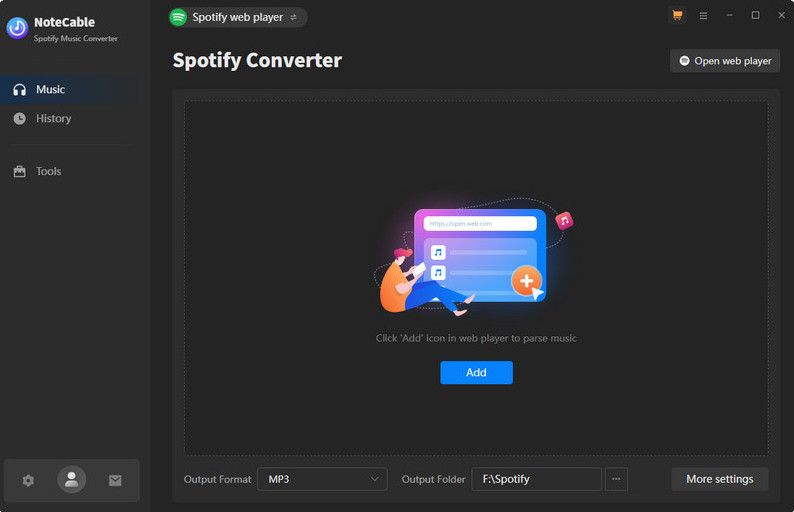
As a rising star in the market, NoteCable Spotify Music Converter has gained significant popularity in recent years. It is a desktop program specifically designed for Spotify users that converts Spotify tracks into 320kbps MP3 and other popular audio formats. The software is secure, reliable, and user-friendly, with highly praised output quality.
Website: https://www.notecable.com/spotie-music-converter.html
Main Features:
- ✔ Supports downloading various types of audio from Spotify.
- ✔ Supports various output formats.
- ✔ Supports high-quality 320kbps MP3 audio and FLAC lossless audio output.
- ✔ Built-in Spotify Web Player.
- ✔ Free updates and technical support.
How to Convert Spotify Songs to MP3 with NoteCable?
Step 1Download and open NoteCable Spotify Music Converter.
Step 2Go to the Music Settings page and choose MP3 as the output format.
Step 3Click the "+" button to add Spotify songs to Notecable.
Step 4Press the Convert button to start converting Spotify music to MP3.
Once the conversion is done, go to the “History” page to view all the downloaded MP3 files.
Real Experience:
The interface and operational steps are quite similar to Sidify. It offers stable parsing speeds for Spotify playlists and preserves audio quality effectively. Even as a beginner, I found it easy to get started.
Pros🙂:
- ✅ Supports high-quality Spotify music downloads.
- ✅ Simple to operate.
- ✅ Supports Batch Playlist Conversion.
- ✅ Keep complete ID3 tags and export Lyrics.
Cons😡:
- ⚠️The free version has limited features.
Online Spotify to MP3 Downloaders (Best for Quick Downloads)
4. SpotiDownloader
SpotiDownloader is a completely free online Spotify downloader that allows users to quickly download Spotify songs, albums, and playlists without installing any software. It is designed for users who want a simple way to convert Spotify tracks into MP3 format directly from a browser. It also supports downloading Spotify playlists in ZIP format for easier offline storage.

Website: https://spotidownloader.com/en19
Main Features:
- ✔ Online Spotify to MP3 downloader
- ✔ Supports downloading songs, albums, playlist
- ✔ Converts Spotify tracks into MP3 format
- ✔ Works on Windows, Mac, Android, and iOS browsers
How to Convert Spotify Albums to MP3 with SpotiDownloader?
Step 1Open the Spotify app or website.
Step 2Copy & paste a Spotify album link to the SpotiDownloader.
Step 3Click the Download button and wait for the link to be processed.
Step 4Click "Download Zip" or "Download" next to a song to save Spotify tracks to your local hard drive.
Real Experience:
The download process is easy, and it parses links relatively quickly. However, clicking the download button triggers a redirect to an advertising page. When initiating a batch download, an estimated completion time is displayed.
Pros🙂:
- ✅ No installation required.
- ✅ Completely free to use.
- ✅ Batch download Spotify playlists in zip files.
Cons😡:
- ⚠️ Contains redirect ads.
- ⚠️ Limited output format options.
- ⚠️ Lacks customization features.
5. SpotDown
SpotDown is a web-based Spotify to MP3 downloader that enables fast download of songs, playlists, and albums from Spotify to MP3. This tool is simple to use. Simply copy a Spotify link, and it will quickly parse the URL and generate a downloadable MP3 file for offline playback.

Website: https://spotidown.app/
Main Features:
- ✔ Online tools require no installation or login.
- ✔ Supports Spotify songs, albums, and playlists.
- ✔ Can convert Spotify music to MP3 format.
- ✔ Support fast conversion speed.
How to Convert Spotify Music to MP3 with SpotDown?
Step 1Visit the SpotDown website.
Step 2Copy & paste a Spotify song link to the input box.
Step 3Click the Download button, then choose the Download MP3 option to start downloading your music.
Real Experience:
Downloading individual tracks is fast and includes basic lyrics information, but the files will bear a spotidown.app watermark.
Pros🙂:
- ✅ No installation or login required.
- ✅ Free to download Spotify music to MP3.
Cons😡:
- ⚠️ Includes redirect ads.
- ⚠️ Downloads include the website name in the file names.
- ⚠️ No way to adjust quality settings or metadata.
- ⚠️ Requires $20/month to get the batch download feature.
6. SpotMate
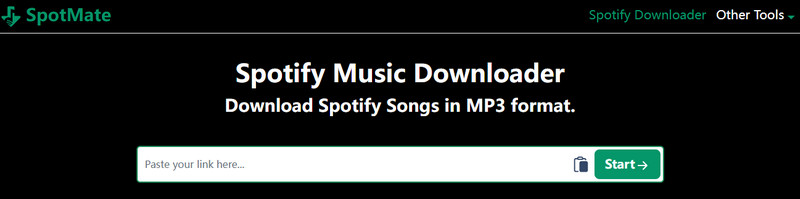
SpotMate is an online Spotify music downloader that supports converting Spotify songs, albums, and playlists into high-quality MP3 files. It supports a wide range of devices, including Windows, Mac, Android, and iOS, and offers a dedicated Android app to make Spotify music downloads easy for mobile users.
Website: https://spotmate.online/en1
Main Features:
- ✔ No Spotify Premium Required.
- ✔ Download Spotify songs, albums, or playlists to MP3 for free.
- ✔ Supports Downloading Spotify Music via the Android App.
How to Download Music from Spotify with SpotMate?
Step 1Open Spotify and copy the Spotify URL.
Step 2Paste the URL into the search box of SpotMate.
Step 3Click the Start button, then choose the Download option to start downloading your music.
Real Experience:
During the download process, you need to click the "Download" button multiple times before the MP3 file actually begins downloading.
Pros🙂:
- ✅ Ad-free page.
- ✅ Supports Android Apps.
- ✅ Downloading music is both simple and fast.
Cons😡:
- ⚠️ Limited batch downloads.
- ⚠️ Unable to select audio quality and format.
- ⚠️ The website is sometimes unstable.
7. Spotisaver
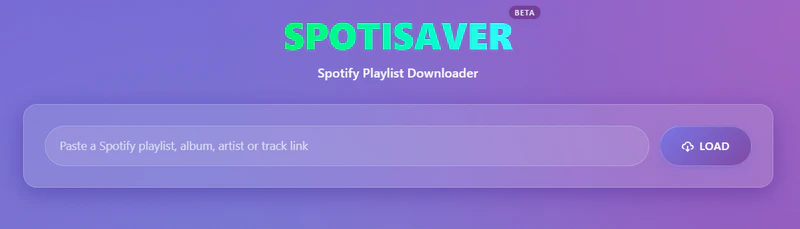
Spotisaver is an online Spotify playlist downloader that supports converting and downloading Spotify playlists as 320kbps MP3 files. This tool also supports batch downloading entire albums or playlists as ZIP archives.
Website: https://spotisaver.net/en/spotify-playlist-downloader
Main Features:
- ✔ Browser-based tool.
- ✔ Spotify playlist, album, and track link processing.
- ✔ Full playlist or album ZIP archive.
- ✔ Up to 320 kbps MP3.
How to rip Spotify to MP3 with Spotisaver?
Step 1Open Spotify and copy the Spotify URL.
Step 2Paste the URL into the search box of SpotMate.
Step 3Click the Start button, then choose the Download option to start downloading your music.
Real Experience:
Link parsing is slower compared to some other online Spotify downloaders, but the tool displays the download progress during the conversion process.
Pros🙂:
- ✅ Simple and free to use.
- ✅ Supports batch downloading.
- ✅ Retain Basic ID3 Tags.
Cons😡:
- ⚠️ Batch playlist downloads are slow.
- ⚠️ Includes Spotisaver tag in filenames.
- ⚠️ Unable to retain complete song lyrics.
Recording Spotify to MP3 (Open-Source & Free)
8. Audacity
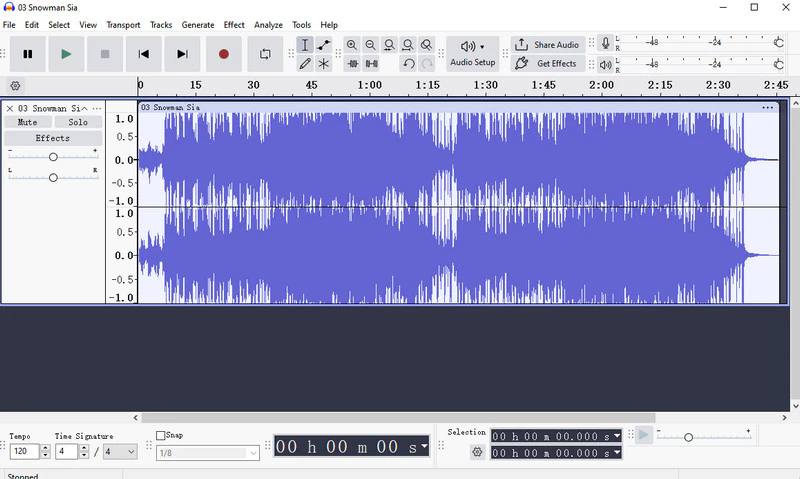
Audacity is free and open-source audio recording and editing software that can also be used to record Spotify music and save it as MP3 files. Unlike typical Spotify to MP3 converters, Audacity primarily saves Spotify music by recording system audio in real time, thereby offering an alternative method for saving Spotify content for offline use.
Website: https://www.audacityteam.org/
Main Features:
- ✔ Free and open-source audio recorder.
- ✔ Record Spotify music in real time.
- ✔ Export recordings as MP3, WAV, FLAC, and more
- ✔ Works on Windows, Mac, and Linux.
How to Convert Spotify to MP3 using Audacity?
Step 1Download and install Audacity on your computer.
Step 2Open Audacity and set the recording source to system audio or stereo mix.
Step 3Open Spotify and start playing the song or playlist you want to record.
Step 4Click the “Record” button in Audacity to begin capturing Spotify audio.
Step 5After recording, stop the recording and export the audio as an MP3 file.
Real Experience:
The real-time recording process is time-consuming, and I need to manually split tracks and edit metadata after recording multiple songs, which can be relatively complex for me.
Pros🙂:
- ✅ Completely free and open-source.
- ✅ Supports multiple audio formats.
- ✅ Works on Windows, Mac, and Linux.
Cons😡:
- ⚠️ Real-time recording is very slow.
- ⚠️ ID3 tags are not automatically preserved.
- ⚠️ Requires manual operation.
FAQs on Converting Spotify to MP3
1. Is it legal to convert Spotify to MP3?
It depends. Generally speaking, converting Spotify music to MP3 format solely for personal, offline use is considered fair use in certain regions; However, using it without authorization for distribution, sharing, or commercial purposes is typically not permitted. Please always comply with local laws and regulations, as well as Spotify's Terms of Use.
2. Can I download entire Spotify playlists to MP3?
Yes. You can use tools like KeepMusic, Sidify, and NoteCable, which support batch converting and downloading entire Spotify playlists to MP3 in one go.
3. Can I permanently keep Spotify downloads?
of course. Once your music has been successfully downloaded to your local device, it is yours to keep permanently—no longer subject to subscription status or network restrictions. You can then transfer your Spotify music to any device.
Summary
This guide compiles 8 confirmed working methods to convert Spotify to MP3. All solutions listed are tested and functional as of 2026.
These methods include:
- ✔ Official website links/ Download links
- ✔ Key Features
- ✔ Step-by-step instructions
- ✔ My Real Experience
- ✔ Pros & Cons
Just choose the best tool for your needs — no outdated or broken methods included!
All listed apps offer free downloads, while the mentioned online Spotify downloaders may carry risks — use with caution. For best results, we recommend the app methods for:
- ✅ Ad-free experience
- ✅ Batch downloading
- ✅ Advanced customization
- ✅ No security risk
If you need to convert songs from Spotify and other streaming platforms, KeepMusic Music Converter is the top choice with proven reliability.
Disclaimer:
1. Please strictly comply with Spotify's terms of service.
2. The methods introduced above are limited for personal use only and cannot be used for any commercial purposes.